Platform Administrator Certification Study Guide
Every topic objective in the Admin exam explained thoroughly. The most efficient way to study the key concepts in the exam.
Last Updated: June 2026

The overview
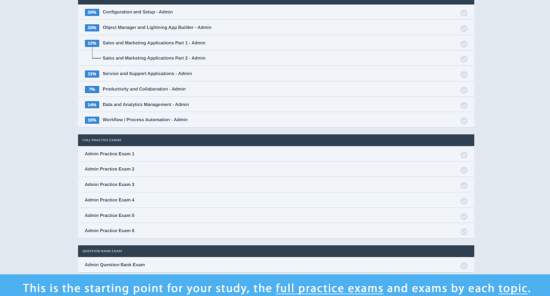
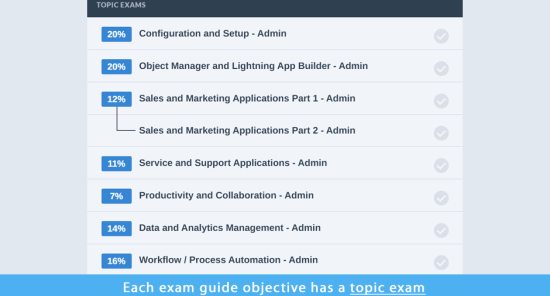
This is the starting point for your study, covering all of the exam guide objectives.
The Platform Administrator Study Guide incorporates all 28 Objectives within all 8 Sections of the official Salesforce Certification Exam Guide.
What's included?
- Covers all 8 Sections of the official Salesforce Certification Exam Guide
- Explains in detail all objectives within each section (a total of 28 objectives)
- Topic summaries that you can use to learn the topics efficiently
- Free Access to interactive Study Group Sessions and study group recordings
- Single and multiple choice questions as in actual exam
- Explanations in plain English, with 350+ screenshots and diagrams rather than endless, unremarkable text
- Take the practice exams as many times as you like within the access period of 12 months
- Review Flashcards (with questions and answers) for each section
- Easy to read bullet points
- Includes links to lots of extra resources for further reading
- Scenarios and requirements with sample answers to test your ability to determine solutions
- Unlimited Access and Updates for 12 months
Everything you need to prepare for the Platform Administrator Certification
In order to pass the Platform Administrator certification, you’ll find that knowledge and experience of the Salesforce platform aren’t enough. You also need to get to grips with the exam itself.
That’s why we created the Platform Administrator Study Guide.
Our study guide will help you understand confusing or difficult concepts from the official Salesforce Certification Exam Guide and brush up on your skills – all in a format that’s easy to digest and has been proven to work with thousands of happy customers.
The Platform Administrator Study Guide will help you focus on the key points you need to know to pass the exam.
The Salesforce help pages and videos are great when you want to know all the details, but the Platform Administrator Study Guide provides a summary of all topics in study guide format.
Why this guide is important?
You need a guide that summarises the key certification objectives in plain English, using examples, diagrams, charts and topic reviews to make sure you’ve cemented your understanding.
Every objective is explained in detail.
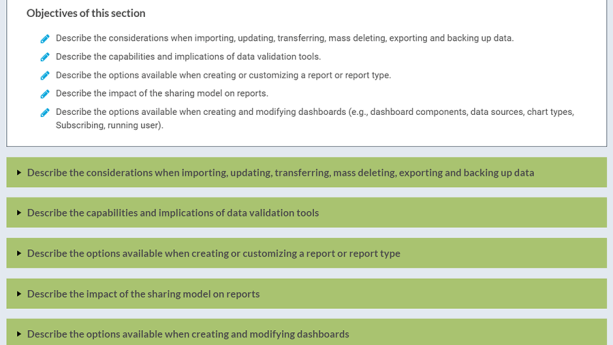
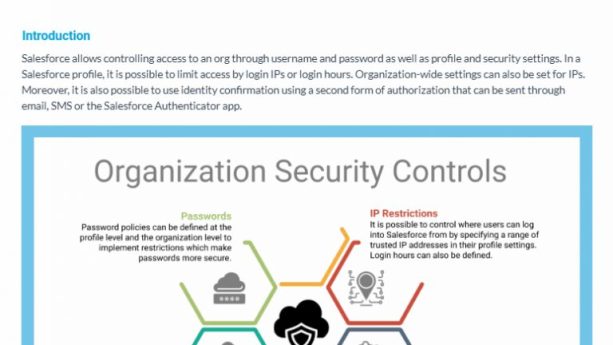
The Platform Administrator Certification Study Guide includes screenshots, summary points and diagrams to illustrate key concepts, as well as visually explain and demonstrate Salesforce functionality.
Course content
11 sectionsAdmin Study Group Videos
- Admin Study Group Videos
Configuration and Setup I 8 topics
- Configuration and Setup I Overview Video
- Company Settings: Introduction
- Default Locale and Language Settings
- Organization ID, Licenses, and Salesforce API
- Timezone and Currencies
- Business Hours, Holidays and Fiscal Year Configurations
- Data and File Storage
- Knowledge Check
Configuration and Setup II 10 topics
- Configuration and Setup II Overview Videos
- UI Features: Introduction
- UI Features: UI/UX Settings
- UI Features: Search Settings
- UI Features: List Views
- UI Features: Lightning App Builder
- UI Features: App Menu
- UI Features: Global Actions
- UI Features: Sandbox & Change Sets
- Knowledge Check
Configuration and Setup III 5 topics
- Given a scenario, demonstrate the proper setup and maintenance of users (user name is unique, locales, working hours, how to distribute licenses, types of licenses, not deleting a user, implications of making inactive, override, assigning feature licenses, management of users with various login methods).
- Explain the various organization Security Controls (for example: Identity verification, Setup Audit Trail, Login Hours, Session Settings, agent access).
- Given a user request scenario, apply the appropriate security controls based on the features and capabilities of the Salesforce sharing model (for example: Teams, Sharing hierarchy, public groups, org-wide defaults, sharing: roles, subordinates, role hierarchy, report and dashboard folders).
- Given a scenario, determine the appropriate use of a custom profile or permission set (using the various profile settings, permission set group, and muting).
- Knowledge Check
Object Manager and Lightning App Builder 5 topics
- Describe the standard object architecture and relationship model (for example: standard object, parent/child, master detail/lookup/junction relationships, record types, Schema Builder).
- Explain how to create, delete, and customize fields and page layouts on standard and custom objects, and know the implications of deleting fields (roll-up summaries, cross object formulas, picklist dependencies, relationship fields).
- Given a scenario, determine how to create and assign page layouts, visibility on Lightning page layouts, record types, and business processes for custom and standard objects (quick actions and global actions).
- Test Your Skills!
- Knowledge Check
Sales and Marketing Applications 5 topics
- Given a scenario, identify the capabilities and implications of the sales process (for example: leads, opportunities, path).
- Given a scenario, apply the appropriate sales productivity features using opportunity tools (for example: dashboards, lead scoring, Einstein for Sales, opportunity scoring, grading, and home page assistant, forecasting, territory management).
- Describe the capabilities of lead automation tools and campaign management (for example: leads, lead convert, lead assignment rules, campaign, and campaign members).
- Describe the capabilities of campaign management
- Knowledge Check
Productivity and Collaboration 5 topics
- Describe the capabilities of activity management (tasks, events).
- Describe the features of Chatter (groups, accessibility to groups, internal/external users).
- Describe the capabilities of the Salesforce mobile app (Lightning page, modifying the app, browser, app menu, visibility, branding mobile app, build launchpad).
- Identify use cases for AppExchange applications (awareness of managed or unmanaged packages, who is allowed to publish, prompts on AgentExchange, flows).
- Knowledge Check
Service and Support Applications 3 topics
- Describe the capabilities of case management (for example: case, case assignment rules, and queues).
- Given a scenario, identify how to automate case management (for example: support process, case auto-response rules, case escalation, Einstein for Service).
- Knowledge Check
Data and Analytics Management 7 topics
- Data and Analytics Management Overview Video
- Describe the considerations when importing, updating, transferring, mass deleting, exporting, and backing up data (Archival, Apex data loader, Import Wizard).
- Describe the capabilities and implications of data validation tools (duplicate and matching rules, validation rules).
- Describe the options available when creating or customizing a report or report type (join objects together, with or without records, renaming the fields, formulas, bucket, join reports, chart settings, hide details, grouping totals, troubleshooting fields at a high level).
- Describe the impact of the sharing model on reports (visibility, understand folder structure, sharing fields).
- Describe the options available when creating and modifying dashboards (for example: dashboard widgets, data sources, chart types/settings, subscribing, dynamic dashboard, org licensing limits, view dashboard as, schedule refresh, filters).
- Knowledge Check
Automation 5 topics
- Given a scenario, identify the appropriate automation solution based on the capabilities of the tool (escalation rules, case assignment rules, lead assignment rules, default automation user, AI).
- Describe capabilities, use cases, and configuration for Flow (screen flows, record-triggered flows, autolaunched flows, order of execution).
- Describe capabilities, use cases, and configuration for the approval process (criteria for approvers, rejections, approvals).
- Test Your Skills!
- Knowledge Check
Agentforce 3 topics
- Describe the capabilities and use cases of Agentforce (scenarios about use cases, when it’s appropriate to use AI, security, troubleshooting agent permissions).
- Explain how to maintain, update, or install prompts and instructions in Agent Builder (light testing, conversation preview).
- Knowledge Check
Take the tour
What our students say
Gain essential and valuable skills from a recognized leader in Salesforce to future-proof your career and stand out to leading employers.
Why choose us?
Gain essential and valuable skills from a recognized leader in Salesforce to future-proof your career and stand out to leading employers.
Frequently asked questions
Everything you need to know before buying our study guide
What release are the study guides based on?
The study guides are updated shortly after each release. You will get any release updates for free during the 1 year of access after purchase.
Is there a limit for access to the study guides?
You will have unlimited access to this study guide for 12 months from your date of purchase. Plus, any updates or release changes made to the material during your year of access are included.
What is included in a K2 University Study Guide?
Study guides cover all sections of the official Salesforce Certification Exam Guide, explaining all objectives in detail with topic summaries, explanations in plain English, screenshots, diagrams, easy-to-read bullet points, links to extra resources for further reading, and scenarios with sample answers.
Popular Salesforce Courses
Discover courses tailored to your learning journey.